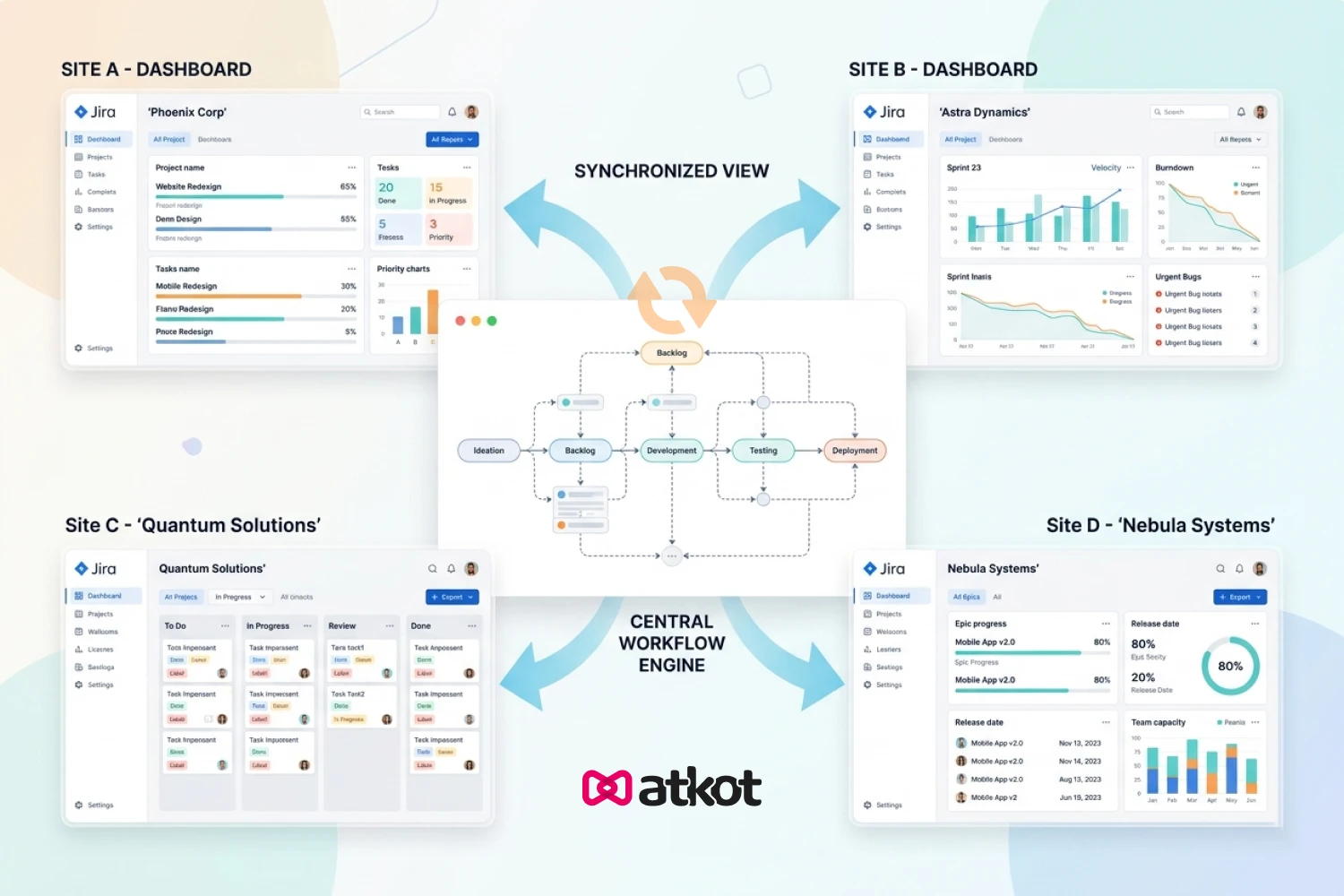
How to Sync Jira Workflows Across Multiple Sites
You’ve refined a workflow in your test environment: statuses are clean, transitions make sense, validators are finally right.
Now you need to move it to:
- Production
- EU site
- APAC instance
So you open Jira and realize there's no one-click "sync workflow" button across sites.
What follows is usually a combination of XML exports, manual recreation, and uncertainty about whether production actually matches the test.
Before getting into workflow syncing, if you're still setting up your foundation, understand how to use Jira for project management from initial setup to maintaining consistency as your team grows.
This guide explains how workflow syncing across Jira sites actually works, where the manual method succeeds and fails, and what a reliable process looks like, whether you build it yourself or use a dedicated tool.
Why Syncing Jira Workflows Is Harder Than It Looks
On the surface, copying a workflow seems simple. In practice, several things make it harder than expected.
1. Workflows Don't Exist in Isolation
A workflow is tied to a workflow scheme, which is assigned to projects.
When you move a workflow to another site, the schemes, projects, and fields that the workflow references all need to exist there too. If they don't, the import breaks or behaves unexpectedly.
2. Custom Fields and Statuses Don’t Always Match
A transition might depend on:
- A custom field
- A user group
- A specific status
If these don't exist (or differ slightly) in the destination, Jira may:
- Fail the import entirely
- Silently skip parts of the workflow
- Create the workflow but break specific transitions
3. No Native Cross-Site Sync
Jira's built-in tools work within a single site. Atlassian has introduced deployment tracks in Cloud Premium/Enterprise for global configuration management, but this doesn't cover all use cases and isn't available to all tiers.
For most teams, there's no:
- Clean deployment pipeline out of the box
- Reliable sync mechanism
- Audit-friendly process
4. Configurations Drift Over Time
Different admins make small changes across sites independently.
Eventually:
- Workflows diverge
- Syncing becomes reconciliation, not copying
- "Just copy from staging" no longer works reliably
The Manual Method: XML Export and Import
Jira does allow you to export and import workflows as XML. For simple workflows in controlled environments, this can work. Here's how:
Step 1: Export from Source
Go to:
Jira Settings → Issues → Workflows → Export as XML
This gives you a file containing the workflow's statuses, transitions, conditions, validators, and post-functions.
Step 2: Review the XML Before Importing
Open the file and check for:
- Custom fields (look for ```customfield_``` references)
- User groups
- Project-specific configurations
Pro tip: If a custom field exists in the destination but has a different ID, you can edit the XML to remap IDs before importing. This is tedious but possible.
Fix anything missing in the destination environment before importing, or the import will fail or produce an incomplete workflow.
Step 3: Import to Destination
Upload the XML file. Jira will create the workflow but won't automatically assign it to any scheme or project. You'll need to do that manually.
Step 4: Assign to Workflow Scheme
Edit or create a workflow scheme on the destination site. Manually map issue types and attach the workflow to relevant projects.
Step 5: Publish and Test
Publish the draft workflow scheme. Always test on non-critical issues before rollout to ensure everything behaves as expected.
Where the Manual Method Works
The XML approach is acceptable if:
- You have simple workflows with minimal dependencies
- You're managing 2–3 sites
- Changes are infrequent (monthly or less)You have a single primary admin
Where It Breaks Down
The XML method becomes painful when:
- Workflows have complex dependencies (custom fields, groups, permissions)
- Statuses don't exist on the target site (you must recreate them manually first)
- You need to sync across 4+ sites
- Changes happen weekly or daily
- You need governance and audit trails
- Multiple admins are making changes
Jira's audit log does record workflow imports, so some traceability exists but it won't show you what changed between versions or help you compare environments before deploying.
Alternative Approaches Worth Considering
Before jumping to a paid tool, know your options.
Option 1: Scripted REST API Sync
Jira's REST API supports workflow uploads. With moderate scripting effort (Python + requests + jira library), you can:
- Export workflow XML from a source site
- Import to multiple destinations
- Log each deployment
- Check for missing dependencies pre-deployment
Pros: Free, repeatable, auditable
Cons: Requires development effort, maintenance, and handling edge cases
Option 2: Jira Cloud Deployment Tracks
Atlassian's Premium/Enterprise tier includes deployment tracks for:
- Workflows
- Custom fields
- Screens
- Permission schemes
Pros: Native to Jira, no third-party tool
Cons: Cloud-only, requires Premium/Enterprise, less flexible than dedicated tools
Option 3: Dedicated Configuration Management Tools
Tools like Atkot, Configuration Manager for Jira, or ScriptRunner offer:
- Visual comparison between environments
- One-click or scripted deployments
- Built-in dependency checking
- Audit logs and rollback
Pros: Lowest friction, m-rich, minimal maintenance
Cons: Additional cost, vendor dependency
What a Reliable Sync Process Should Look Like
A scalable workflow sync process includes these five capabilities:
1. Compare Before Deploy
You should always know what's different between source and destination workflows before making changes. Deploying blind is how production breaks.
2. Resolve Dependencies First
Ensure the destination has:
- Required statuses
- Custom fields (with correct IDs or names)
- User groups and permissions
Checking this before deployment prevents the most common failure modes.
3. Controlled Deployment
Changes should be:
- Reviewed
- Approved (proportionate to risk)
- Intentional
This doesn't need to be bureaucratic, just someone confirms what's being deployed before it goes live.
4. Audit Trail
You need visibility into:
- What changed
- When
- By whom
- Which environments received which version
A workflow sync that leaves no record is a governance problem waiting to surface.
5. Repeatability
If your process only works when one specific admin is available and focused, it won't scale. A reliable process works consistently regardless of who runs it.
Best Practices for Syncing Jira Workflows Across Multiple Sites
Even with the right process in place, consistency depends on day-to-day discipline.
1. Standardize Configuration
Naming Use consistent naming across all environments for:
- Workflows
- Statuses
- Custom fields
Inconsistent naming is one of the most common causes of broken mappings during sync.
2. Define a Single Source Environment
Choose one environment (typically staging) where all workflow changes originate. Avoid making parallel changes across sites—this is how configurations quietly diverge.
3. Introduce Lightweight Versioning
Track workflow iterations with simple version labels or change notes. Even a text file in Git or a Confluence table helps. This makes it easier to understand what changed, roll back if needed, and align teams on the current version.
4. Bundle Related Changes Together
Group dependent updates (new statuses + transitions + fields) into a single release. Deploying partial changes increases inconsistency risk.
5. Use a Pre-Deployment Checklist
Before every sync, verify:
- Required fields exist in destination
- Status mappings are aligned (status names or IDs match)
- User roles/groups are available
- Workflow scheme is ready to receive the workflow
A quick checklist prevents avoidable failures.
6. Limit Production Overrides
Treat production as a controlled environment. Avoid quick fixes or direct edits that bypass your normal flow, they’re hard to track and even harder to reconcile later.
7. Keep a Simple Change Log
Maintain a running record of workflow updates:
| Date |
Change Summary |
Owner |
Environments |
| 2026-04-14 |
Added QA status with approvals |
Jane |
Staging, Prod |
This creates accountability and helps during troubleshooting.
8. Schedule Regular Alignment Reviews
Periodically review workflows across environments to catch:
- Unintentional differences
- Legacy configurations
- Redundant elements
Small corrections early prevent large sync issues later.
When to Use Which Approach
Scenario |
Recommended Approach |
| 2 sites, simple workflows, changes rarely | XML export/import |
| 2–3 sites, some dependencies, monthly changes |
Scripted REST API + Git |
| 3–5 sites, weekly changes, compliance needs |
Jira Cloud deployment tracks (if eligible) OR dedicated tool |
| 5+ sites, frequent changes, multiple admins, compliance critical |
Dedicated configuration management tool (Atkot, Configuration Manager, etc.) |
| You've already experienced production issues from workflow drift |
Move up at least one level from your current approach |
Dedicated tools solve real problems like dependency checking, visual comparison, automated deployment, audit trails without building and maintaining your own solution.
Learn more about what Atkot is and how it works →
But they're not always necessary. A team with 3 sites, 10 workflows, and monthly changes can absolutely succeed with Git + scripts + a checklist.
Evaluate tools when:
- Manual processes are consuming meaningful admin time weekly
- Errors from missed dependencies are causing production incidents
- Compliance requires formal change tracking you can't easily produce
- Your team has grown beyond what one person can manually coordinate
Syncing Jira Workflows Across Multiple Sites
Workflow syncing starts simple but scales into a real operational challenge as environments multiply.
The manual approach has its place, but it has clear limits.
A better approach comes down to three principles:
- Compare before deploying
- Deploy deliberately
- Track every change
Everything else is just execution. If manual workflow syncing is becoming a recurring burden, see how Atkot works in a demo.
Whether you build a scripted pipeline, use native Jira deployment tracks, or adopt a dedicated tool, the goal is the same: predictable, repeatable, auditable workflow sync across all your environments.